
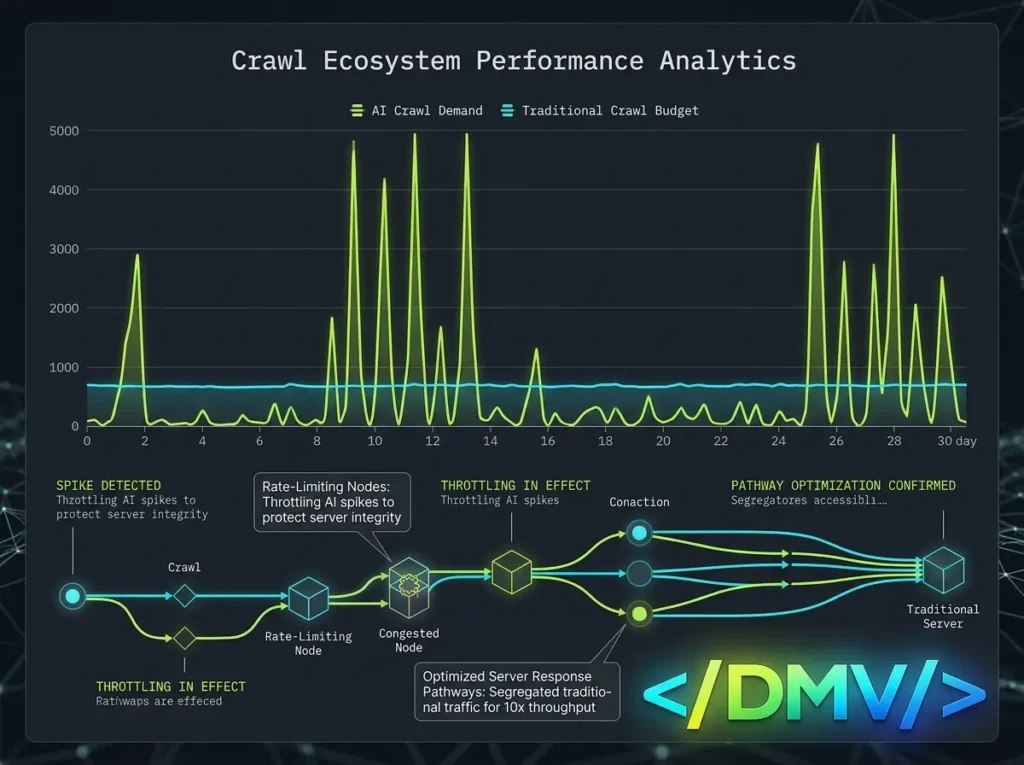
In 2026, managing your WordPress AI crawl budget is the strategic process of allocating server resources to artificial intelligence bots without degrading your website’s performance for human users. As generative AI crawlers became the fastest-growing source of web traffic, they introduced an unprecedented drain on hosting infrastructure.
The data illustrates a stark reality: OpenAI’s systems now perform 198 crawls for every single referral visit they deliver to a website. By contrast, traditional search engines like Google perform roughly six crawls per visit. To protect your server from exhaustion while maintaining visibility in AI-generated answers, you must transition from passive hosting to proactive server management, prioritizing how and when large language models (LLMs) access your data.
The Context: Why AI Crawlers Drain Server Resources
Throughout 2025 and 2026, the mechanics of web crawling fundamentally changed. In the past, search engine bots scanned your site to build an index that would eventually send users back to your domain. Today, AI bots ingest your data for two distinct reasons: to train future models (which provides zero referral traffic) and to retrieve live data to answer user prompts directly inside the AI interface.
This aggressive ingestion strategy causes dramatic shifts in HTML requests. When an AI crawler hits dynamic, uncached WordPress pages—such as search results or complex database queries—it ties up valuable PHP workers. If a heavy crawler floods your site with thousands of concurrent requests, your server CPU spikes, your hosting bills inflate due to high egress bandwidth, and legitimate human visitors experience crippling latency.
The Execution: Optimizing Your WordPress AI Crawl Budget
To handle AI bots without inflating your infrastructure costs, you cannot rely on the default WordPress configuration. You must architect a system that restricts low-value scraping while ensuring high-value AI bots have enough server capacity to read your content.
Here is how to optimize your infrastructure for Answer Engine Optimization (AEO) without breaking your server.
1. Differentiate Bot Intent
Not all AI bots require the same server resources. To manage your WordPress AI crawl budget efficiently, you must categorize bots by their value to your business:
-
Training Scrapers: Bots like
GPTBot,CCBot, andClaudeBotscrape your site to train their foundational models. They consume massive bandwidth and offer zero referral traffic in return. -
Live-Retrieval Bots: Agents like
OAI-SearchBot,ChatGPT-User,PerplexityBot, andBingbotperform real-time searches to answer specific user queries. These are the bots that drive semantic data citations and tangible AEO traffic.
2. Rate-Limit Aggressive Crawlers
Instead of allowing bots to dictate their own crawling speed, enforce strict rate limiting at the server or DNS edge level. By utilizing a Web Application Firewall (WAF), you can restrict aggressive SEO tools and training scrapers to a manageable number of requests per minute. This prevents any single crawler from monopolizing your server’s PHP workers, ensuring your application remains responsive to actual customers.
3. Update Your Robots.txt File
Your robots.txt file is the frontline defense for your WordPress AI crawl budget. Rather than relying on outdated SEO templates, update your directives to explicitly manage AI agents based on the intent established above.
Use the Disallow directive to block heavy training scrapers from wasting your resources. Simultaneously, ensure that live-retrieval bots are allowed to crawl your core content, articles, and semantic data. This guarantees that when a user asks ChatGPT or Perplexity a question related to your industry, the AI has the access required to cite your website as the source.
4. Cache Everything Possible
AI bots do not need dynamic, personalized session data. Ensure your server is aggressively caching static HTML pages. When a bot requests a cached page, the server delivers it from RAM almost instantly without triggering WordPress core, PHP, or MySQL. This drastically reduces CPU load and preserves your crawl budget for the pages that matter most.
Frequently Asked Questions
[lux_faq htag=”h3″ open=”first” style=”card”]
Q:Should I block AI crawlers from my website?
A:Resource-heavy AI crawlers often require rate limiting rather than complete blocking. Blocking them entirely removes your content from AI-generated answers, severely hurting your Answer Engine Optimization (AEO). Instead, optimize your server’s efficiency and block only the model-training scrapers, while allowing live-retrieval bots to fetch answers.
Q:What is an AI crawl budget?
A:An AI crawl budget is the maximum number of requests and server resources your hosting infrastructure can allocate to artificial intelligence bots within a given timeframe before performance degrades or hosting costs increase.
Q:Why do AI bots consume so much server CPU?
A:AI bots consume heavy CPU resources because they often ignore traditional crawl delays, generating thousands of concurrent HTTP requests. If these requests hit uncached, dynamic WordPress URLs, the server must execute PHP and query the database for every single page load, rapidly exhausting server capacity.
Q:How does a poorly managed crawl budget impact AEO?
A:If your server is overwhelmed by bad bots or aggressive scraping, it may begin dropping connections or responding with 500-level HTTP errors. When legitimate AI answer engines like Perplexity or Bing encounter these errors, they assume your site is unreliable and will stop attempting to retrieve your data, erasing your visibility in AI search results.
[/lux_faq]
Securing Your Future AEO Visibility
The era of unrestricted, open-access web crawling is over. Protecting your infrastructure in 2026 requires making deliberate choices about who gets to consume your data and at what speed. By auditing your server logs, rate-limiting aggressive scrapers, and proactively managing your WordPress AI crawl budget, you can keep your server costs low while ensuring your brand remains a cited authority in the new age of answer engines.
