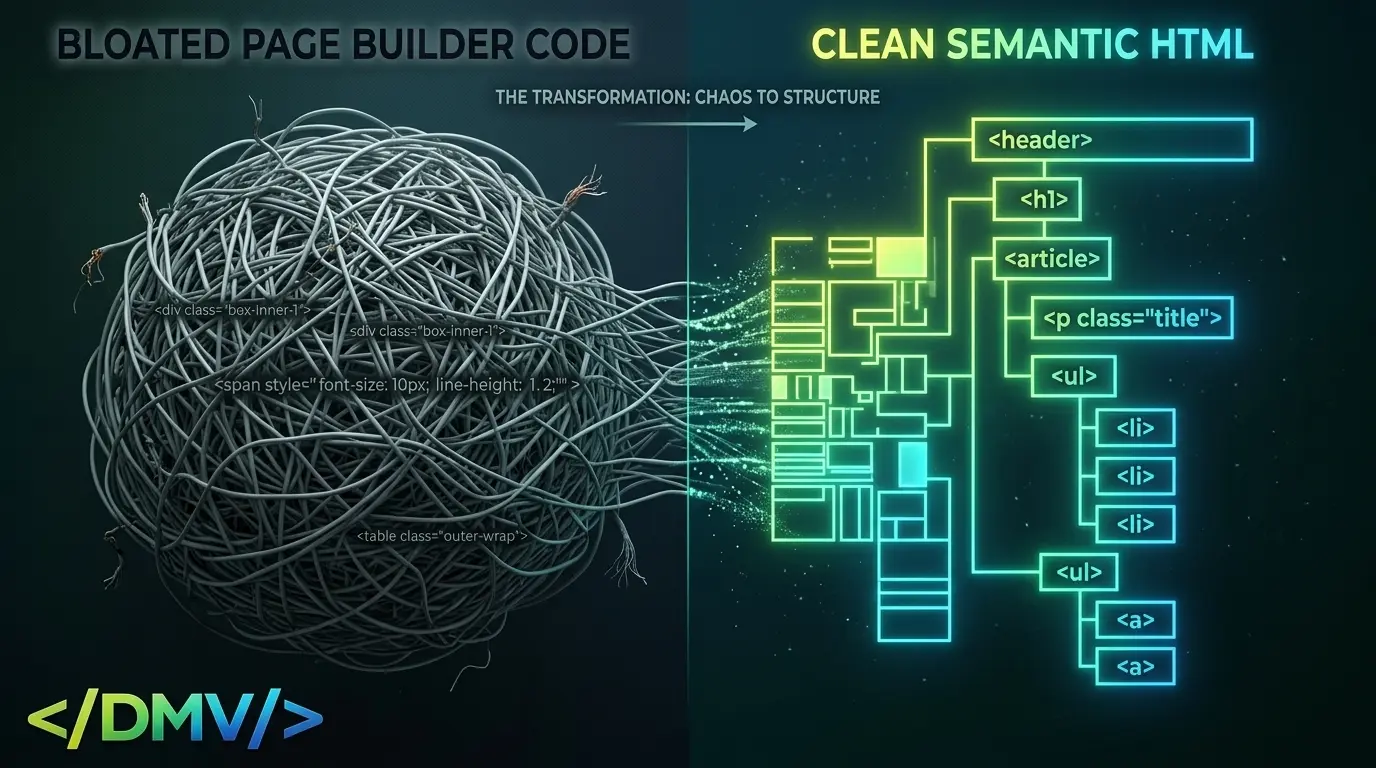
When architecting a custom, lightweight magazine-style WordPress theme, the most critical decision happens before a single line of CSS is written: how will the content be structured? In 2026, the debate between semantic HTML WordPress themes and heavy visual page builders is no longer just about load times; it is about machine readability.
While visual builders like Elementor or Divi empower users to create complex designs without coding, they do so by generating massive, nested, non-semantic HTML structures. This bloated Document Object Model (DOM) cripples performance metrics like Core Web Vitals and obscures the actual meaning of your content from AI crawlers. To win in Answer Engine Optimization (AEO), content creators must utilize clean, semantic HTML and standard WordPress text editors.
The Execution: Why Semantic HTML is Mandatory
The foundation of a high-performance website lies in how a browser—and a search bot—interprets its code. Here is the technical argument for abandoning heavy layout builders in favor of native, semantic architecture.
1. Eliminating DOM Bloat for Core Web Vitals
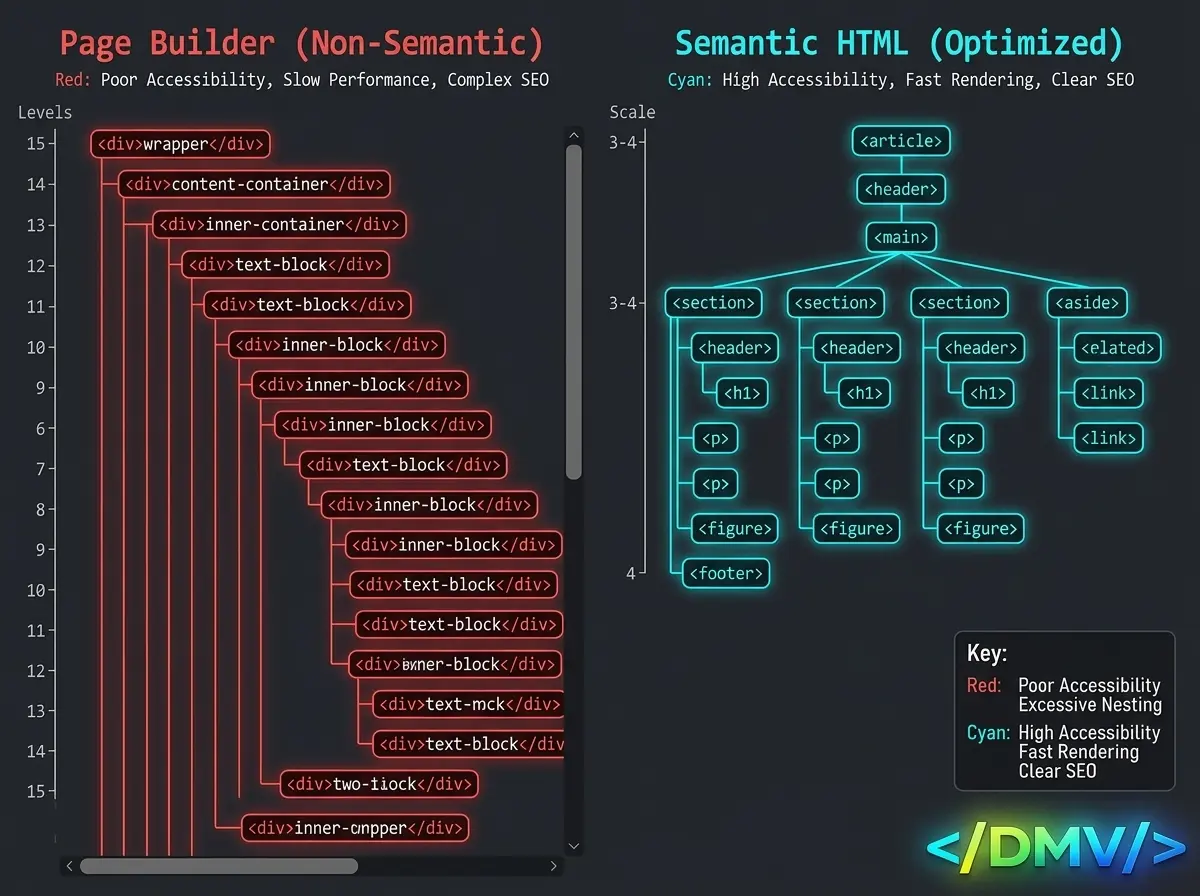
Visual page builders operate by wrapping content in endless layers of <div> tags to apply styling grids and margins. A simple paragraph of text might be nested eight levels deep.
This excess wrapper bloat directly impacts your Core Web Vitals. Every time a browser encounters a new HTML node, it must calculate its style and layout position. A page with 3,000 DOM nodes takes significantly longer to render than a page with 500 nodes. By using a semantic HTML WordPress theme that outputs clean, flat code (using native tags like <article>, <section>, and <aside>), you drastically reduce the browser’s rendering workload, immediately improving your Largest Contentful Paint (LCP) and First Input Delay (FID) scores.
Key insight: A flat HTML structure not only renders faster but prevents the Cumulative Layout Shift (CLS) issues often caused by slow-loading, deeply nested CSS grid containers.
2. Providing an Unbroken Entity Map for LLMs
Generative AI bots and Large Language Models (LLMs) crawl the web differently than traditional search engines. They are looking for entities and relationships to build knowledge graphs.
When you use semantic HTML—tagging a header as an <h1>, a navigation menu as <nav>, and an author byline within an <address> tag—you are giving the AI crawler an explicit map of your content’s hierarchy. The machine instantly understands what is primary information and what is supplementary. Heavy page builders often wrap everything in generic <div> tags, forcing the AI to expend valuable compute power guessing the context of the text, which often leads to your data being ignored.
3. Future-Proofing Content Portability
When you build a site using a proprietary page builder, your content becomes locked into that specific plugin’s shortcodes or JSON structures. If you ever need to migrate your site or rebuild your theme, extracting your text requires a massive database cleanup.
By authoring content in the native WordPress block editor (Gutenberg) and relying on a semantic HTML WordPress theme, your data remains clean and portable. Your content will outlast any specific design trend or plugin ecosystem.
Frequently Asked Questions
[lux_faq htag="h3" open="first" style="card"]
Q:Do page builders negatively affect AI SEO?
A:Yes, heavy page builders often generate excessive, non-semantic HTML wrappers (<div> bloat) to render visual layouts. This forces AI crawlers to spend more compute power extracting the actual text, reducing crawl efficiency and potentially hurting Answer Engine Optimization (AEO).
Q:What is Semantic HTML?
A:Semantic HTML uses tags that convey the meaning of the content within them, rather than just their visual presentation. Examples include using <header>, <main>, <article>, and <footer> instead of wrapping everything in generic <div> containers.
Q:Can I achieve complex layouts without a page builder?
A:Absolutely. Modern CSS techniques like Flexbox and CSS Grid, when applied directly to a clean semantic HTML WordPress theme, can create incredibly complex and responsive layouts without the need for bloated plugin wrappers.
Q:Why does a high DOM node count slow down my website?
A:Browsers process HTML by building a tree of nodes (the DOM). The deeper and larger this tree is, the more memory the browser requires to calculate styles, layouts, and JavaScript interactions. A large DOM leads to slow rendering and sluggish user interactions.
[/lux_faq]
The Path to Clean Architecture
In the era of AI-driven search, clarity is your biggest asset. Discarding visual page builders in favor of a semantic HTML WordPress theme forces you to focus on the structure and quality of your content rather than just its visual presentation. By serving clean, flat code, you guarantee fast load times for your users and flawless data extraction for the machines that will answer their questions.
