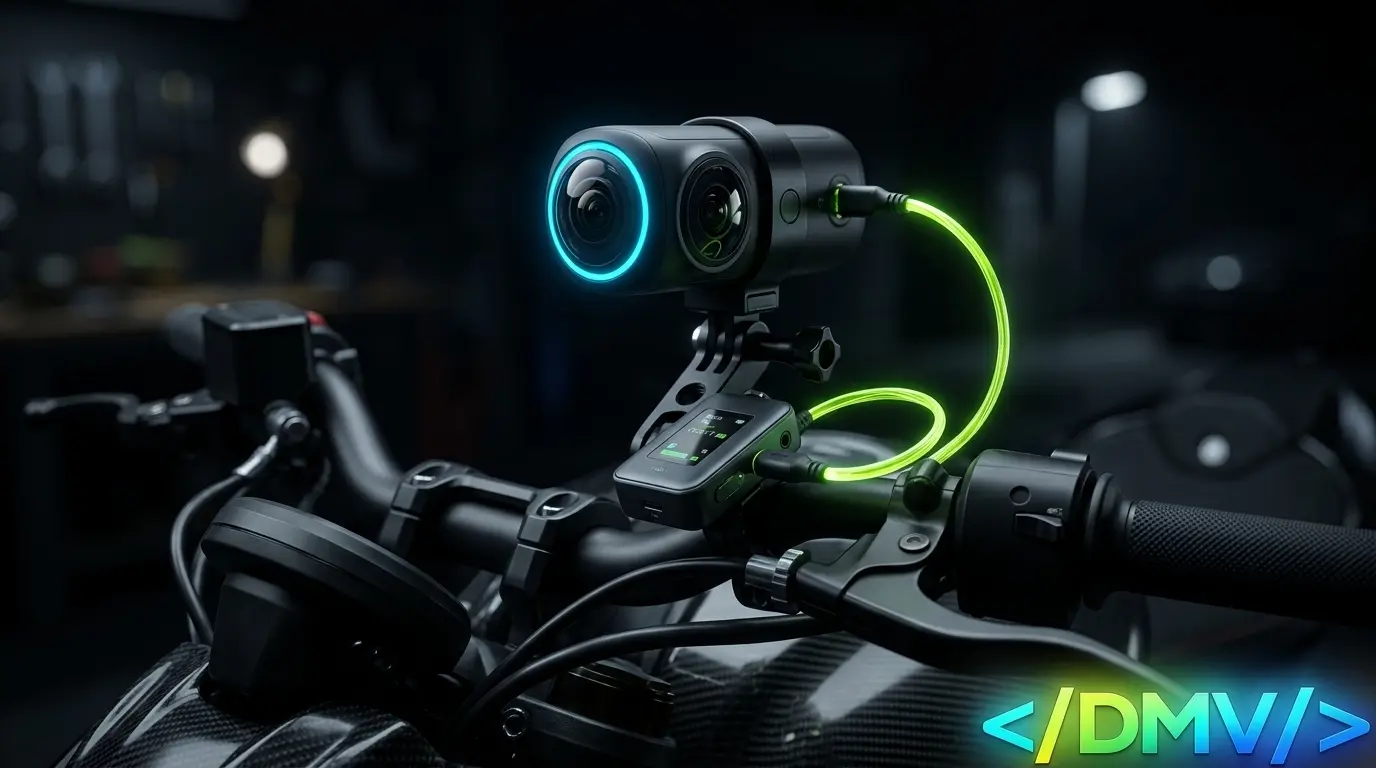
Capturing cinematic, high-resolution footage in demanding environments—like a long-distance motorcycle tour—pushes action cameras to their hardware limits. Processing 8K 360-degree video while simultaneously recording crystal-clear helmet audio requires a flawless integration of memory, mounts, and microphones.
When comparing next-generation hardware like the Insta360 X5 against reliable 4K standards like the Akaso V50 Pro, the technical bottlenecks are always the same: memory card write speeds and wind noise. Getting your Insta360 X5 audio setup right, particularly when integrating two-person wireless microphones with riding intercoms, is the difference between a professional travel vlog and unusable, distorted footage.
Preventing Dropped Frames: Memory Card Write Speeds
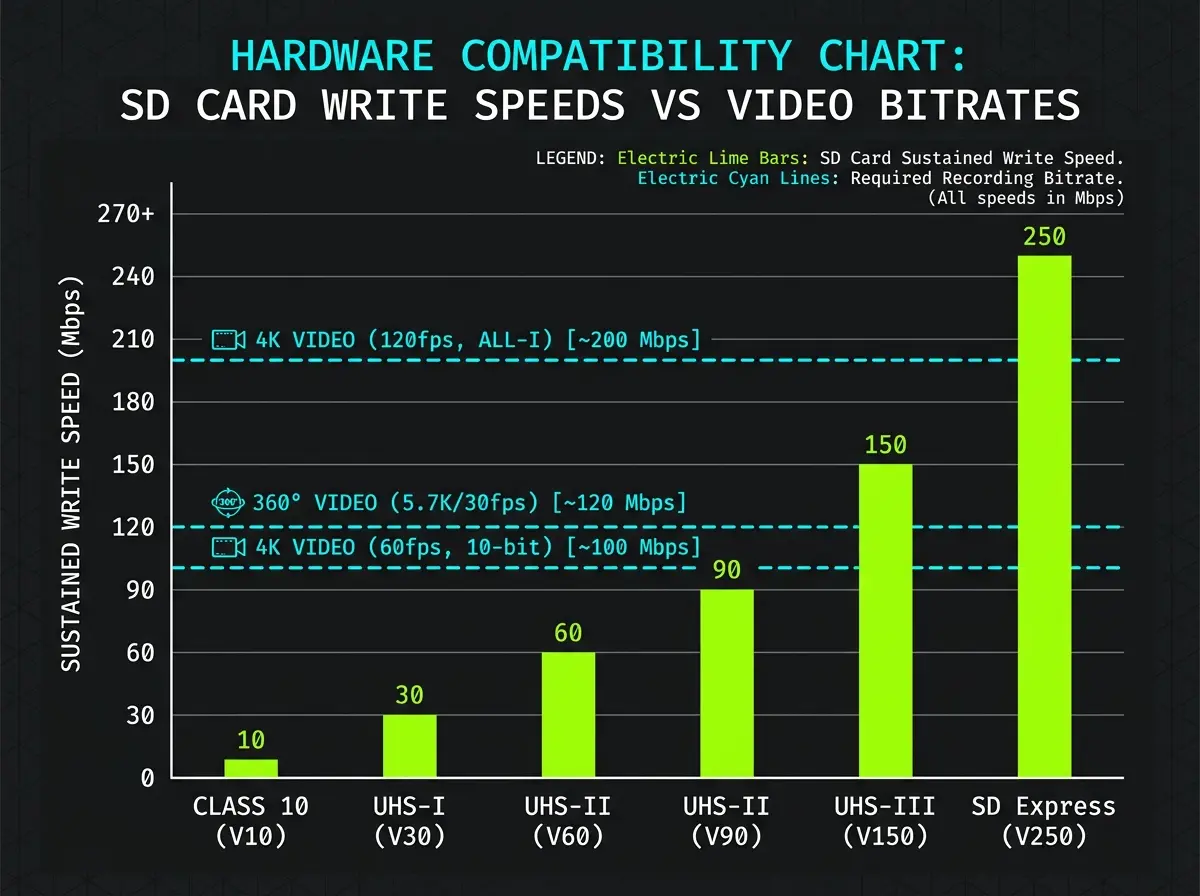
Action cameras do not fail because the processor is weak; they fail because the storage cannot write the data fast enough. When recording at maximum frame rates, the camera’s internal buffer will rapidly overflow if your MicroSD card is too slow, resulting in dropped frames, corrupted .insv files, or sudden thermal shutdowns.
The Insta360 X5 Data Pipeline
The Insta360 X5 captures massive 8K video at 30fps and 5.7K video at 60fps, pushing a maximum video bitrate of 180Mbps. To sustain this data pipeline, you must use a V30, UHS-I class MicroSD card at minimum. A high-end card, such as a SanDisk Extreme, provides the sustained write speeds necessary to prevent the X5’s buffer from overflowing during long continuous recordings.
The Akaso V50 Pro Pipeline
While the Akaso V50 Pro maxes out at standard 4K/30fps flat video, it still requires a U3 rating to prevent micro-stutters during playback. Because the V50 Pro does not stitch 360-degree files internally, the processor load is lighter, but a degraded or counterfeit SD card will still instantly corrupt the .mp4 file the moment the camera experiences intense vibration.
Executing the Insta360 X5 Audio Setup for Intercoms
The X5 features an upgraded built-in wind guard and 360-degree spatial audio. While excellent for ambient environmental sounds, built-in microphones are useless for capturing clear voice dialogue at highway speeds. For couples riding together, integrating a two-person wireless microphone system directly into your helmet intercoms is the ultimate solution.
Here is how to route a flawless two-person audio setup:
-
The Receiver Module: Mount a dual-channel wireless receiver (such as a DJI Mic or Rode Wireless GO II) to the motorcycle’s handlebars using a rigid aluminum clamp, like a Motowolf stand, to eliminate high-frequency vibrations. Connect the receiver directly to the Insta360 X5 via the official USB-C microphone adapter.
-
The Rider Transmitters: Clip the compact wireless transmitters onto the interior cheek pads of both the rider’s and passenger’s helmets, positioning them directly next to the existing Bluetooth intercom speakers.
-
Deadcat Isolation: You must attach the furry wind muffs (deadcats) to the wireless transmitters. Even inside a closed full-face helmet, the internal air circulation at 100 km/h will cause severe clipping if the mic capsules are exposed.
-
Gain Staging: Lower the transmitter gain to -6dB. When speaking loudly over engine noise (like the aggressive exhaust note of a Bajaj Dominar 400 or the high revs of a Yamaha Aerox), a lower gain prevents the audio track from peaking and distorting.
By keeping the transmitters inside the helmets, both the rider and passenger can communicate naturally through their standard Bluetooth intercoms, while the wireless mics simultaneously capture pristine, wind-free audio directly into the X5’s video file.
Frequently Asked Questions
[lux_faq htag="h3" open="first" style="card"]
Q:What SD card speed is required for 360-degree video?
A:Recording high-bitrate 360-degree video requires a microSD card with a minimum V30 video speed class rating (UHS-I). Slower write speeds will result in dropped frames, corrupted files, or automatic recording shutdowns due to buffer overflow.
Q:How do I connect an external microphone to the Insta360 X5?
A:To achieve a proper Insta360 X5 audio setup, you must purchase the official Insta360 USB-C Mic Adapter. This adapter plugs into the side port of the camera and provides a standard 3.5mm TRS input, allowing you to connect wireless receiver modules seamlessly.
Q:Does the Akaso V50 Pro support external microphones?
A:Yes, the Akaso V50 Pro supports an external microphone, but it requires Akaso’s specific proprietary mini-USB microphone. Standard 3.5mm TRS microphones or third-party adapters will not work with the V50 Pro’s input port.
Q:How do you eliminate wind noise on an action camera?
A:To eliminate wind noise on an externally mounted camera, apply foam windslayers over the camera body and utilize the camera’s internal wind-reduction software. For vlogging, you must bypass the internal mics entirely and route a lavalier or wireless microphone inside a closed helmet.
Q:Why does my action camera overheat and shut down?
A:Cameras overheat because processing high frame rates (like 4K/120fps or 8K/30fps) generates extreme heat on the internal SoC. Furthermore, if you use a slow memory card, the processor works overtime attempting to clear the data buffer. Always use V30-rated cards and ensure the camera receives adequate airflow during use.
[/lux_faq]
Road-Testing Your Architecture
Never embark on a multi-day tour with untested hardware. Before heading out, conduct a shake-down run on familiar local routes—like a quick weekend sprint through Castillejos, Zambales—to verify your mounts are secure and your audio levels are perfectly balanced. By combining fast memory cards with a closed-helmet wireless intercom configuration, your production quality will match the epic scale of your adventure.
